Stop losing the tweets you actually saved.
You’ve liked thousands of tweets you’ll never scroll through again. X Brain reads each one, sorts them, and lets you search by what they mean, not the exact words.
See it in action
From raw archive to searchable knowledge base in minutes.
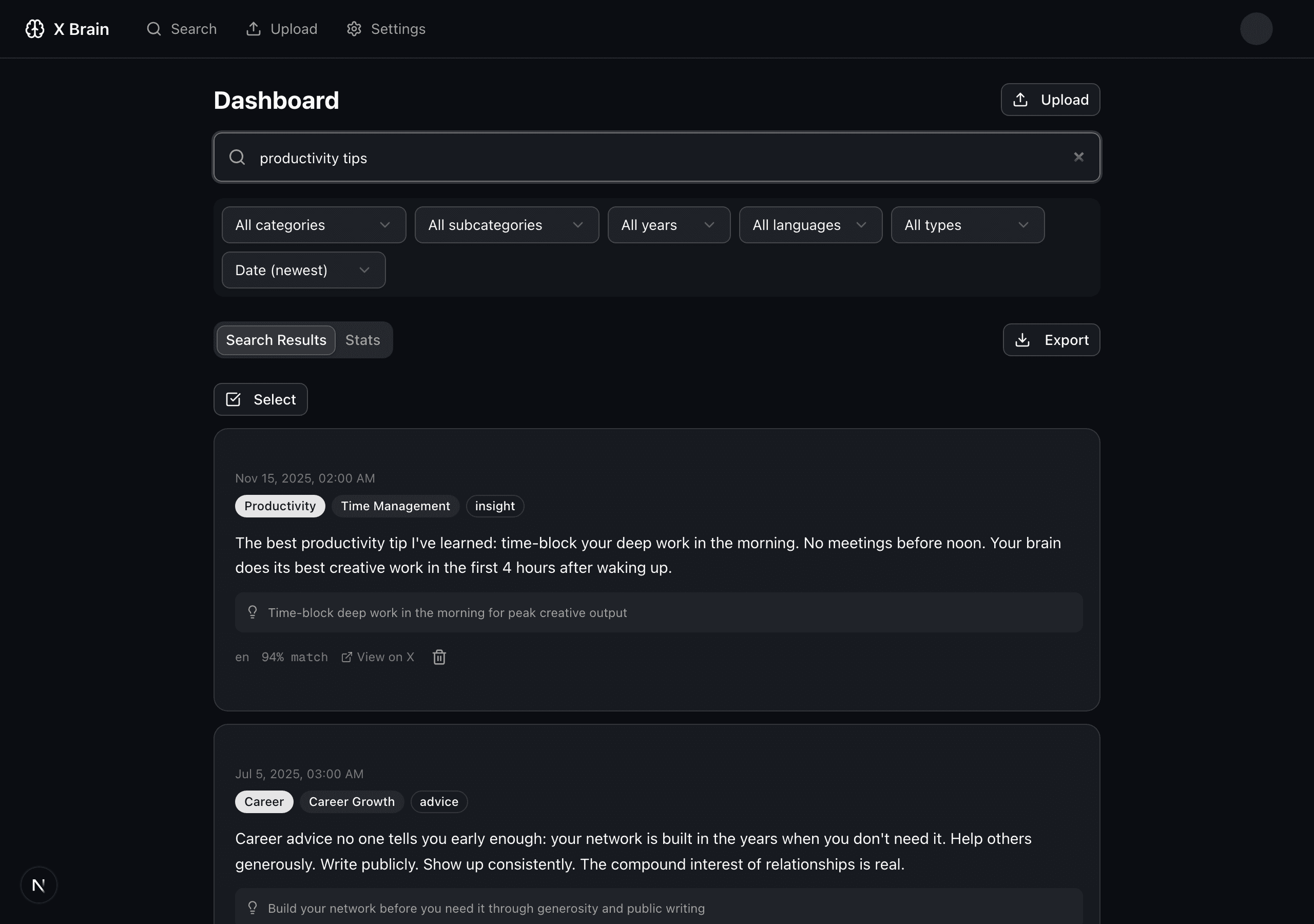

Search by meaning,
not just keywords.
Vector embeddings of every tweet you’ve liked. Type what you’re looking for, get the tweets that match the idea, even if the words are completely different.
The single highest-leverage thing in your interview loop is the take-home. Optional, paid, scoped to 4 hours. Tells you more than any whiteboard ever will.
I optimize for slope, not intercept. Hire the person who’s grown the most in the last 2 years, not the one with the most years.
Stop asking for years of React experience. Ask them to ship something in an afternoon. The good ones do; the rest don’t.
Auto-classified
15 categories, 65+ subcategories. No manual tagging.
Extracted insights
Key takeaways, tools, and references pulled from every tweet.
Obsidian vault export
Download structured Markdown notes with frontmatter, tags, and index files.
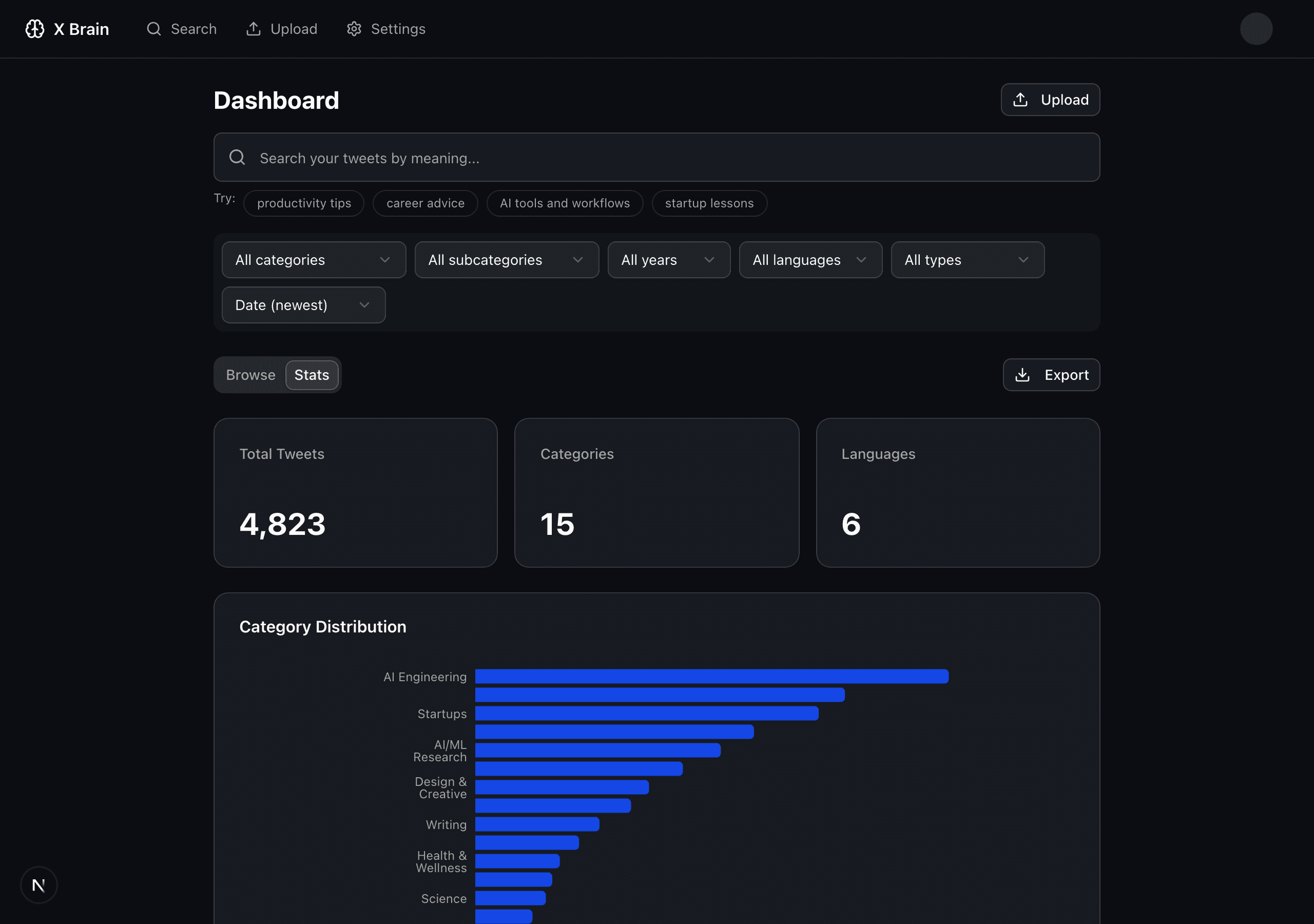
Knowledge stats
See what you've been learning, by category, over time.
Export anywhere
CSV, JSON, Markdown, or an Obsidian-ready vault. Your data stays yours.
Bring your own keys
Anthropic, OpenAI, or Gemini. You control the cost.
How it works
Export your X data
Go to Settings > Your Account > Download an archive of your data
Upload the ZIP
Drag & drop your archive. We extract and process your liked tweets.
Search & save
Browse by category, see stats, and export your knowledge to Obsidian or Markdown.
Questions, answered.
How do I get my X archive?+
Go to X → Settings → Your Account → Download an archive of your data. X will email you when it’s ready (usually within 24 hours).
How much does it cost to use with my own API keys?+
Most users spend $1-3 to process their entire archive. After that, search and browsing are free. Only new enrichment calls use your API key.
Which AI providers are supported?+
Anthropic (Claude), OpenAI (GPT), and Google (Gemini). You can switch providers anytime from Settings.
Is there a free tier?+
No, but it’s a one-time $19 payment with no subscription. You own your data and can export everything anytime.
What happens to my data?+
Your data is stored encrypted in Supabase with row-level security. We never sell or share it. You can delete everything from Settings at any time.
Can I upload multiple archives?+
Yes. You can append new data to your existing library or replace it entirely.
Can I save my X Brain into Obsidian?+
Yes. Export an Obsidian-ready vault ZIP with one Markdown note per X item, YAML frontmatter, tags, category and topic notes, and index files.
How can I search through old liked tweets from months ago?+
X doesn’t offer native search for likes. X Brain imports your full archive and provides semantic search (by meaning, not just keywords) across every tweet you’ve ever liked.
Can I organize my likes by topic automatically?+
Yes. X Brain uses AI to classify your liked tweets into 15 categories and 65+ subcategories automatically. No manual tagging required.
How do I backup my Twitter likes?+
Go to X Settings → Your Account → Download an archive of your data. Upload the ZIP to X Brain to make it searchable and organized forever.
Not ready yet?
Leave your email and we’ll let you know when we ship new features.